

Divi Video Pro
Videos that start when you want, look like your brand and don’t slow your Divi site down. Two new video modules for Divi 5, set up in the Visual Builder without a line of code.
Divi 5 ready • Unlimited websites • 14-day money-back guarantee • WPML compatible
Divi’s video module does the basics. Your visitors deserve more
You know the drill. The client wants the hero video to start on its own, quietly, and keep looping. Then they want the play button in the brand color. Then the page speed report comes back red because of three embedded videos. Each of those used to mean another code snippet from a forum thread.
Divi Video Pro turns all of that into settings. Pick what you want in the module, see it in the builder, publish. It’s built on years of questions in the comments of my Divi tutorials, so the things people actually ask for are the things it does.
Two modules, one plugin

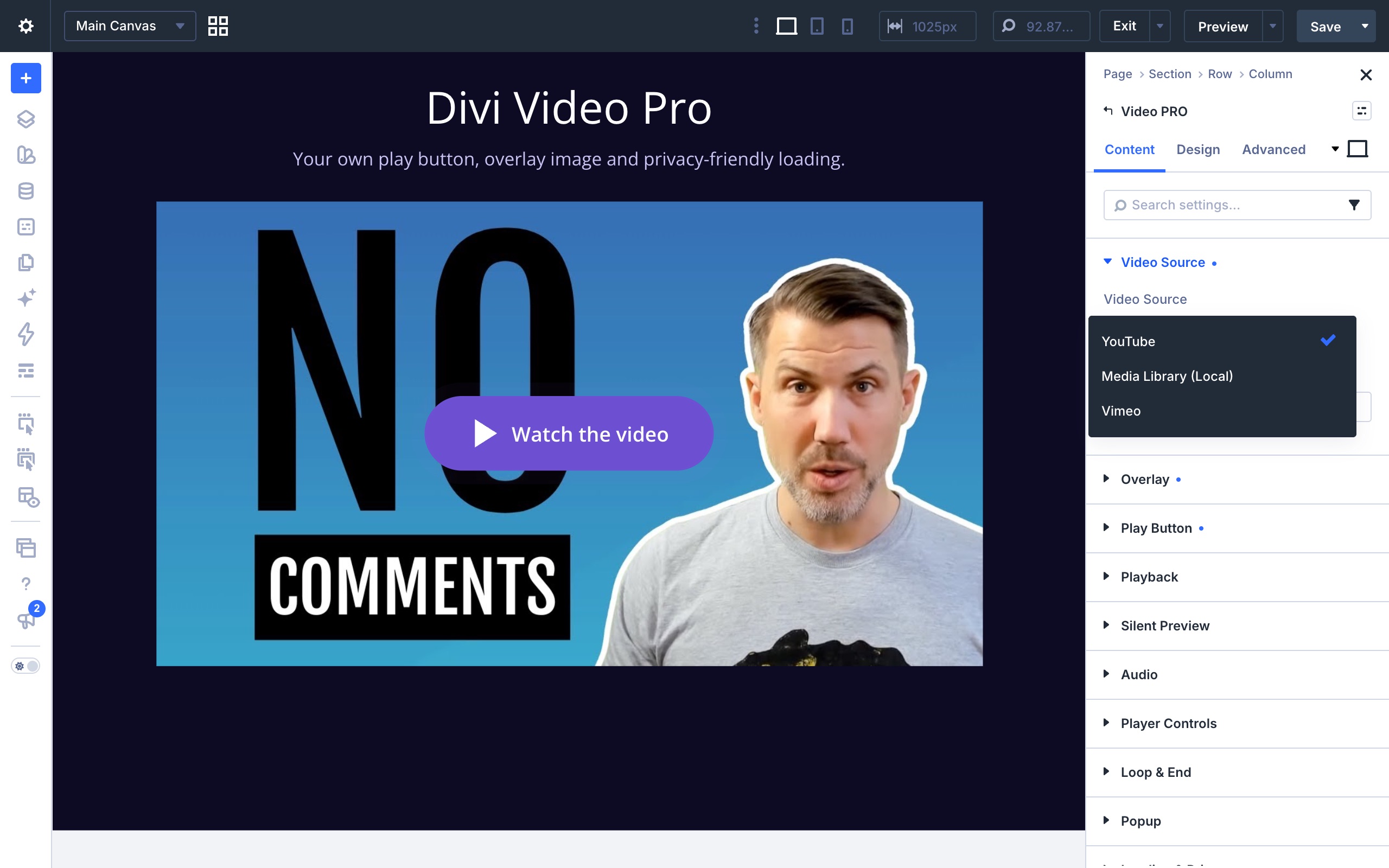
Video PRO
One video, fully under your control. Use it for a hero background that plays by itself, a product video behind your own play button, or a single button that opens the video in a popup.

Video Slider Pro
A whole set of videos in one place. Visitors switch between them with thumbnails, dots, arrows or a swipe. Only the video on screen loads, so a slider with ten videos stays light. It can also play the videos one after another by itself.

What you can do with it

Start videos the way you planned
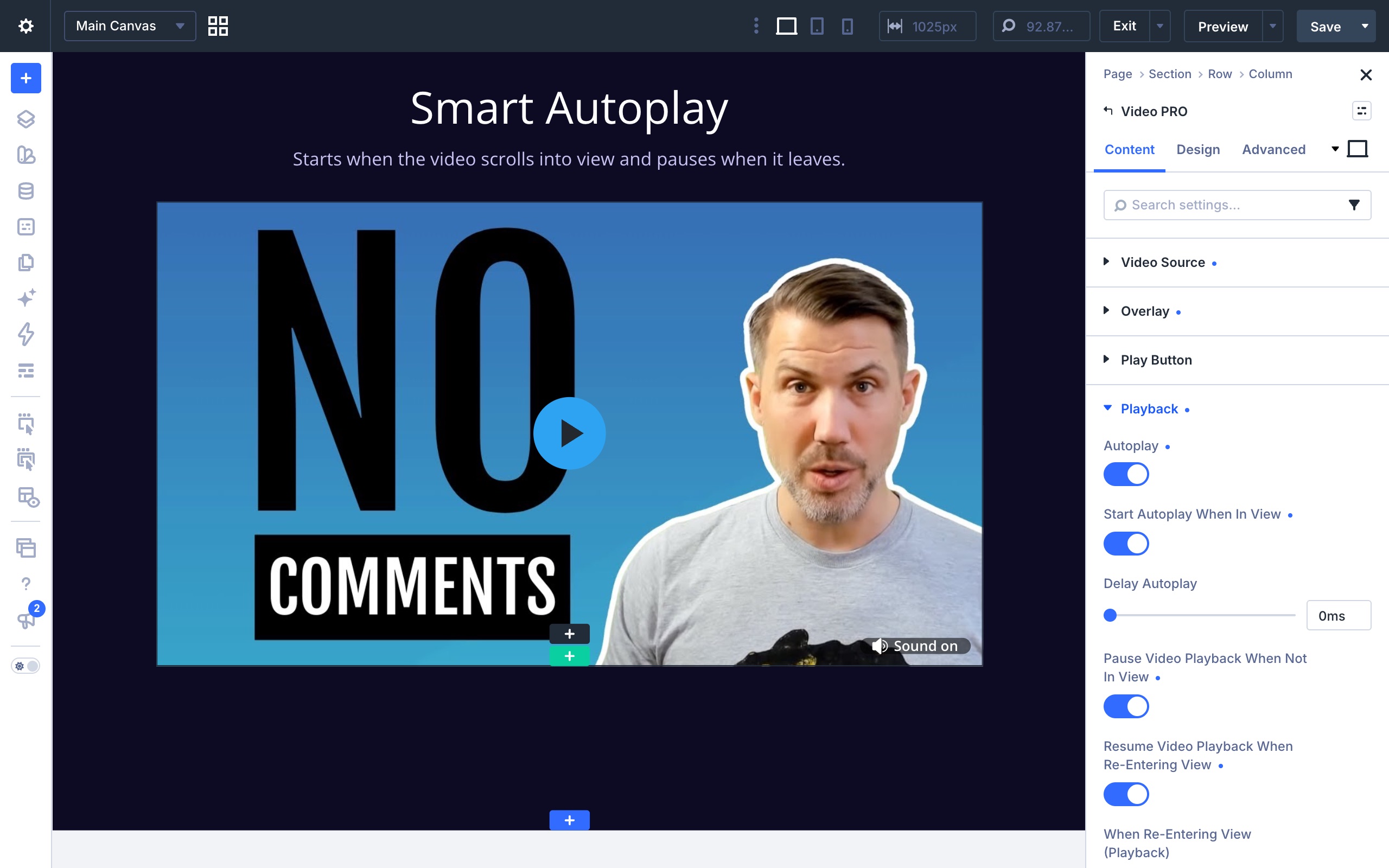
Kick off playback on page load, a few seconds later, or only once the video comes into view. Pause it when it leaves the screen and pick up where it stopped when it comes back. Repeat it endlessly or just a few rounds, and decide what’s left on screen when it’s done: a frozen frame, your own image or a replay button.

A play button that belongs on your site
Choose any Divi icon, paste your own SVG or upload one. Add a line of text like “Watch the story”, move the button to any of nine spots and give it a subtle pulse so people notice it. Or hide it completely and let a click anywhere start the video.

Silent Preview
The video plays muted, like a living thumbnail, with a small button that invites visitors to watch with sound. One click and it starts from the beginning, with sound on. Great for hero sections where an autoplaying video with sound would scare people away.

Popups that just work
Open any video in a clean popup with a blurred or dimmed background. Show a preview of the video on the page, or just a button next to your headline. Everything else on the page goes quiet while it’s open. In a slider, one video can roll into the next inside the popup, like a playlist.

Your design, everywhere
Every button, icon, popup and thumbnail has its own design settings in the Design tab, with hover states, like any Divi module. Hide the player’s own controls and use your own play and mute buttons instead.

Fast, private and accessible
Videos load only when someone wants to watch, so your pages stay light and no visitor data is shared before they press play. Every button works with the keyboard and screen readers, and visitors who prefer less motion get a calmer page.
Faster pages, not heavier ones
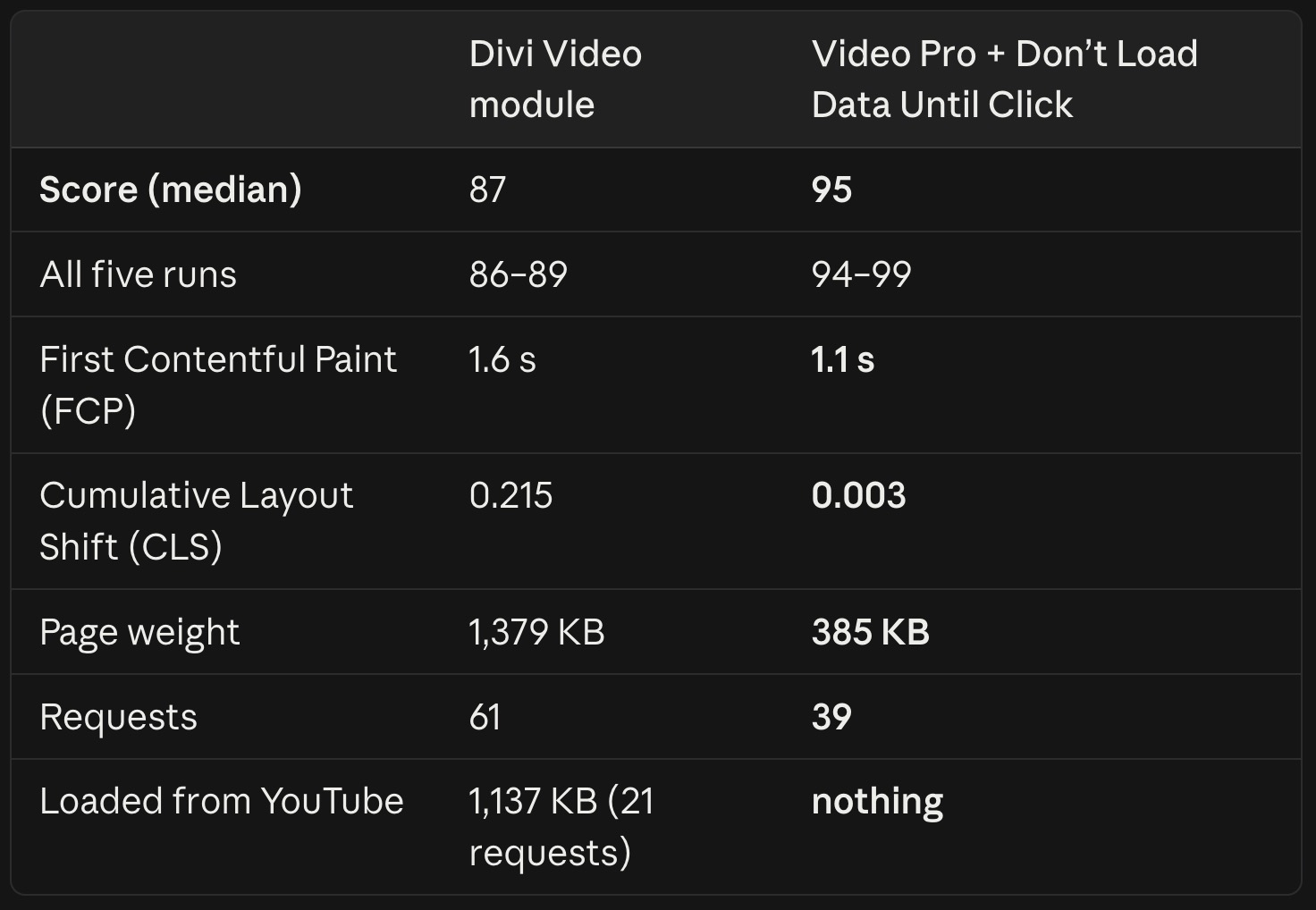
An embedded video normally loads megabytes of scripts the moment the page opens, even if nobody presses play. Turn on Don’t Load Data Until Click and visitors see your image instead. The player itself only arrives when someone actually wants to watch.
- 95 Lighthouse mobile score, up from 87 with Divi’s Video module
- 385 KB page weight, down from 1,379 KB
- 0 requests to YouTube before the visitor clicks, down from 21
Same page, same video, only the video module changed. Lighthouse mobile test with simulated 4G, median of five runs, on a local test server.
It’s also the privacy-friendly choice: no visitor data goes to the video service before someone chooses to watch.
Fits the way you already build
- Theme Builder: drop a video into a template once and it shows up on every page that uses it.
- Dynamic Content: one post template, a different video on every post, filled in from a custom field (ACF works great).
- WPML: translate the video, the image and the button text for each language.
- Speed plugins: plays nicely with WP Rocket, LiteSpeed Cache, Autoptimize and the other big caching and optimization tools.
- Accessibility: keyboard friendly, screen reader labels, and an option to respect visitors who prefer reduced motion.
Pricing
Every feature and both modules, on as many websites as you like. $49 per year, or $179 once for lifetime updates and support.
Try it for 14 days, risk free
Install it, build with it, show it to your client. If Divi Video Pro isn’t what you need, ask for a refund within 14 days and you get every cent back.
Made by a Divi user, for Divi users
I’m Victor Duse. I’ve built websites with Divi for years and share what I learn in tutorials on victorduse.com and YouTube. Divi Video Pro started with one of those tutorials: so many people asked how to make videos autoplay, loop and look right in Divi that I built the tool I wished existed. Every setting is tested on real Divi 5 sites, and when you need help, you talk to me.
Ready to give your videos an upgrade?
Two modules, unlimited websites and a 14-day money-back guarantee.
More about Divi Video Pro
Frequently asked questions about Divi Video Pro
What's the difference between the annual and the lifetime license?
Can I use Divi Video Pro on client websites?
What happens when an annual license expires?
Is there a money-back guarantee?
I usually buy on the Divi Marketplace. Should I buy there instead?
Do you add VAT?
Why doesn't autoplay start on my device?
Usually it's a setting on the device, not on your site. Browsers only allow autoplay without sound, so Divi Video Pro always starts an autoplaying video muted. Even then, the device or browser can stop it:
- iPhone and iPad block autoplay when Low Power Mode is on.
- Some phones and browsers block it when data saving or battery saving is on.
- Safari and Firefox have a setting that stops autoplay on all websites or on one site.
- If the device is set to reduce motion and Respect Reduced Motion is on in the module, autoplay is skipped on purpose.
The video then waits for a tap or click instead, so visitors can still start it. To see autoplay work, turn off Low Power Mode or try another device. If the video doesn't start on any device, check that Start Autoplay When In View or Delay Autoplay isn't making it wait, and clear your caches.
