

WordPress Tutorials & News
Explore my latest tutorials, reviews and news from the WordPress universe in the blog. Subscribe to my newsletter to get the latest posts delivered to your inbox.


Let's give the default Divi menu cart icon a more modern look by adding an overlapping circle background to the cart quantity number.
Spice up your WooCommerce menu by changing the default Divi cart icon to a custom font icon or a custom image icon with a little bit of CSS.

Clearing the Divi Static CSS File Cache is a quick way to fix several design issues in Divi. Here are my favorite tricks on how to speed up that process with a few hidden methods.

Here's how to hide the 0 items number, or the entire cart link, from the Divi menu when the cart is empty.

The default Divi menu shopping cart consists of a cart icon, the number of items and the text "Items". Let's remove the "Items" text.

Accessibility is an often overlooked factor in web design. Here's how to get a perfect 100/100 accessibility score on Google PageSpeed Insights.
Learn how to display the cart icon and the number of product items in your Divi menu when using WooCommerce.

To remove your WordPress website – or just specific pages – from Google and other search engines results pages is easy. Here's how!

It's really easy to create anchor links in Divi. The anchor link lets your visitors jump to different sections on ...

To password protect a page, post or product in WordPress only takes a minute – and you don't need plugins or custom code to do it.

I always password protect my WordPress website while I'm developing it. It's a good way to prevent unauthorized people to visit your site before it's officially launched.
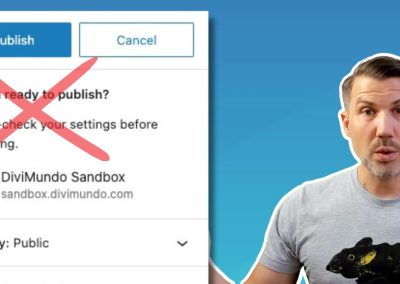
Speed up your web creation process by removing the step "Are you ready to publish?" when you publish pages and posts with Gutenberg.
No results found.