
Divi Video Pro is my new plugin for embedding videos in Divi 5. It gives you two new modules, Video Pro and Video Slider Pro, with video popups, autoplay, looping, a muted Silent Preview and a lot of design settings. And it keeps your pages fast while doing it.
The idea came from you, actually. For years, people have asked me in the comments of my Divi tutorials how to make a video autoplay, loop, open in a popup or just look a bit nicer. The answer was almost always “add this code snippet”. So I built the plugin I wished existed instead
Join +5 240 subscribers!
What is Divi Video Pro?
Divi Video Pro is a premium WordPress plugin that adds two video modules to the Divi 5 Visual Builder:
- Video Pro for a single video. A hero video, a product demo, a testimonial or a button that opens a video in a popup.
- Video Slider Pro for a collection of videos. A course series, a set of testimonials or a portfolio reel, with thumbnails, dots, arrows or swipe navigation.
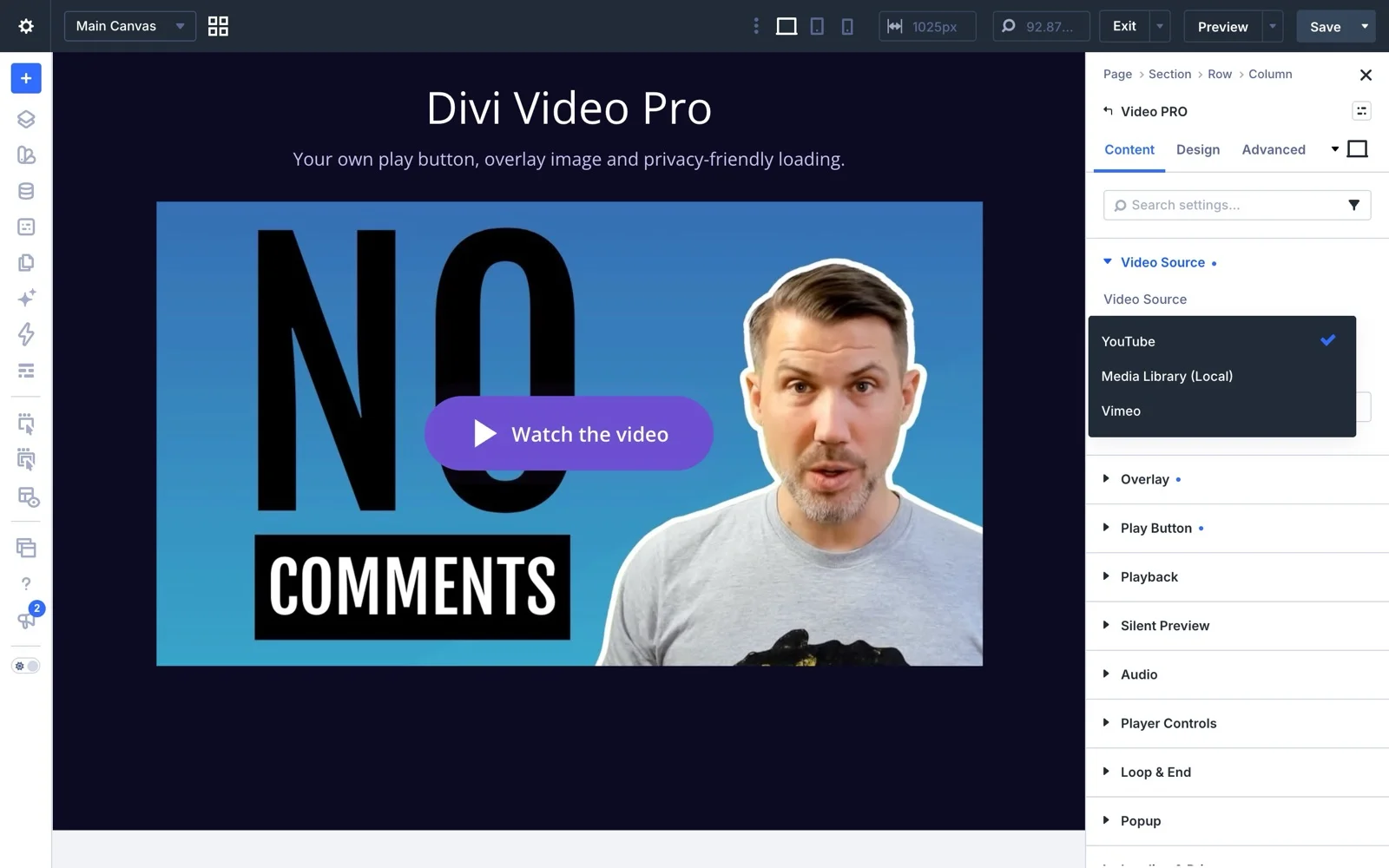
Both modules work with YouTube, Vimeo and video files from your Media Library (MP4 and WEBM). You set everything up in the Visual Builder, no code needed. Divi’s own video modules are still there and your existing videos are not touched.
Launch Offer: 20% Discount Today
Get 20% off Divi Video Pro with the code LAUNCH20 in the checkout. It’s a limited time offer, so don’t wait too long.
My six favorite features
In the video above I go through my six favorite features. Here’s the short version.
1. Video popups with a couple of clicks
Popups are a great way to give your videos the space they need. You can open any video in a clean popup with a blurred or dimmed background. Show a preview of the video on the page, or replace the video completely with a button that opens the popup. That button is a regular Divi button, so you style it just like any other button on your site.
In the slider module, one video can roll into the next inside the popup, pretty much like a playlist.
2. Autoplay and looping that actually work
Autoplay is one click. Then you decide when it starts: on page load, after a delay in milliseconds, or first when the video comes into view. You can also pause the video when it leaves the screen and resume or restart it when it comes back.
Looping works the same way. Loop the video endlessly or a set number of times, and choose what’s left on screen when it’s done: the last frame, the first frame, the thumbnail, your own overlay image or a replay button.
One thing worth knowing: browsers only allow autoplay without sound, so autoplaying videos always start muted. Which brings me to the next feature.
3. Silent Preview
Silent Preview plays the video muted, like a trailer or a living thumbnail. When the visitor clicks it, the video starts from the beginning with sound. This is my go-to setting for hero sections, where a video that suddenly starts playing with sound would scare people away. We added quite a lot of settings here, so you can tweak it the way you like.
4. Faster pages, not heavier ones
A normal embedded video loads megabytes of scripts the moment the page opens, even if nobody presses play. With Don’t Load Data Until Click, visitors see an image instead, and the player only loads when someone actually wants to watch.
I compared the same page with Divi’s native Video module and with Video Pro. Same video, only the module changed:
- Lighthouse mobile score: 95 with Video Pro, 87 with Divi’s Video module
- Page weight: 385 KB, down from 1,379 KB
- Requests to YouTube before the visitor clicks: 0, down from 21
(Lighthouse mobile test with simulated 4G, median of five runs, on a local test server.)
The plugin’s own files also only load on pages that use one of its modules. And there’s a Loading Priority setting, so the video at the top of the page is ready fast while videos further down wait until they’re needed.
5. Privacy built in
With Don’t Load Data Until Click on, no visitor data is sent to YouTube or Vimeo before someone presses play. On top of that, you can enable YouTube’s Privacy-Enhanced Mode, and Vimeo videos get Do Not Track. The Generate From Video setting saves the video thumbnail in your Media Library, so even the preview image loads from your own site.
Whether you need cookie consent for embedded videos depends on your site and your country, so check your own privacy setup too. But this gives you a much better starting point than a standard embed.
6. Video Slider Pro
Video Slider Pro does everything Video Pro does, autoplay, looping, popups and all, but for several videos at once. On top of that you get:- Thumbnail row, dot navigation or no navigation at all, plus arrows
- Drag or swipe to change slide
- Number of visible thumbnails per device
- Thumbnail arrows, dots and drag to scroll when you have more thumbnails than fit
- Option to hide the active video’s thumbnail
- Autoplay the next slide when a video ends, and start over after the last one
Style every part of the player
The Design tab has settings for pretty much everything: the play button, the play button icon, the audio button, the Silent Preview button, the overlay and the popup. You can use any Divi icon, paste your own SVG or upload one, put the play button in any of nine positions and give it a subtle pulse animation. Or hide the player’s own controls and use your own play and mute buttons instead.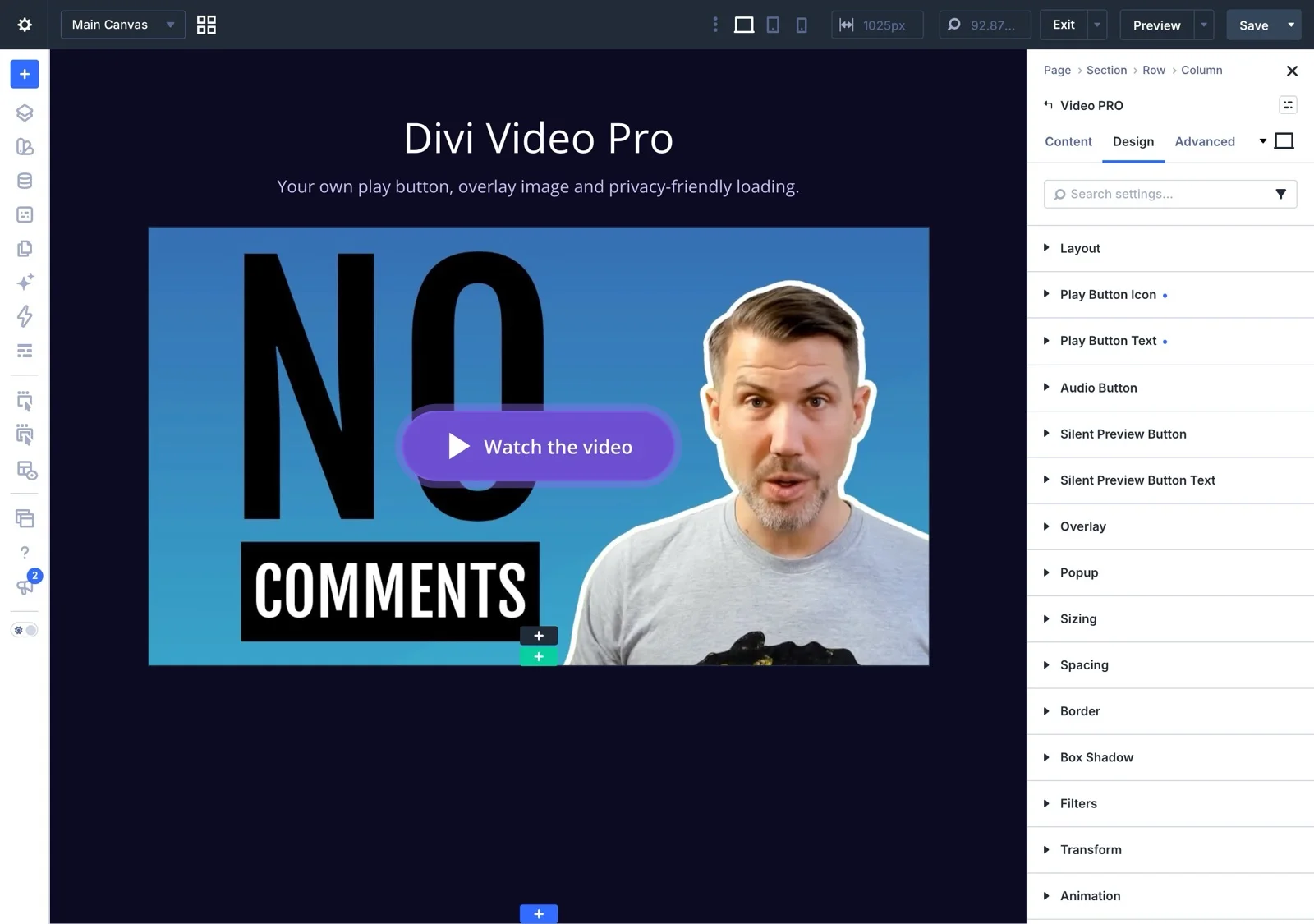
Fits the way you already build in Divi 5
- Theme Builder: add a video to a template once and it shows up on every page that uses it.
- Dynamic Content: one post template, a different video on every post, pulled from a custom field (ACF works great).
- WPML: translate the video, the image and the button text for each language. Your Swedish page can show a Swedish video and your German page a German one.
- Caching and speed plugins: tested with WP Rocket, LiteSpeed Cache, W3 Total Cache, Autoptimize, SiteGround Speed Optimizer and many more.
- Accessibility: every button works with the keyboard and screen readers, and there’s an option to respect visitors who prefer reduced motion.
Requirements
Divi Video Pro is made for Divi 5 only. You need:
- The Divi theme, version 5 or later (a child theme is fine)
- WordPress 6.4 or later
- PHP 7.4 or later
It won’t run on Divi 4, the Extra theme or the standalone Divi Builder plugin.
Pricing and the launch discount
There’s one plugin with both modules and every feature, on unlimited websites, including client sites. The only choice is how long you want updates and support:
- Annual license: $49 per year
- Lifetime license: $179, pay once and you’re done. Only available on victorduse.com.
Use the code LAUNCH20 in the checkout to get 20% off. That puts the lifetime license at $143.20. The launch offer is only available for a limited time.
And you have a 14-day money-back guarantee. Try it on a real project, and if it’s not what you need, just let me know within 14 days and you get every cent back.
Quick answers
Can I make a video popup in Divi 5 without code?
Yes. Enable the popup in the Video Pro module and choose if you want to show a video preview or only a button that opens the popup.
How do I autoplay and loop a video in Divi 5?
In Video Pro, enable Autoplay and Loop. You can start the video on page load, after a delay or when it scrolls into view, and loop it endlessly or a set number of times.
Can I use it on client websites?
Yes. Both licenses cover unlimited websites, your own and the ones you build and maintain for clients.
Will it slow down my site?
No, it’s built to do the opposite. In my test, the page with Video Pro weighed about a quarter of the same page with Divi’s Video module.
You find more questions and answers in the Divi Video Pro FAQ.
See it in action
The best way to understand what the plugin does is to click around in it. Every example on the Divi Video Pro demo is built with the plugin itself. If you want to go deeper into every setting, read the Divi Video Pro documentation.
If you’re missing something in the plugin, please let me know. I answer every support question myself.





0 Comments